Intellos App
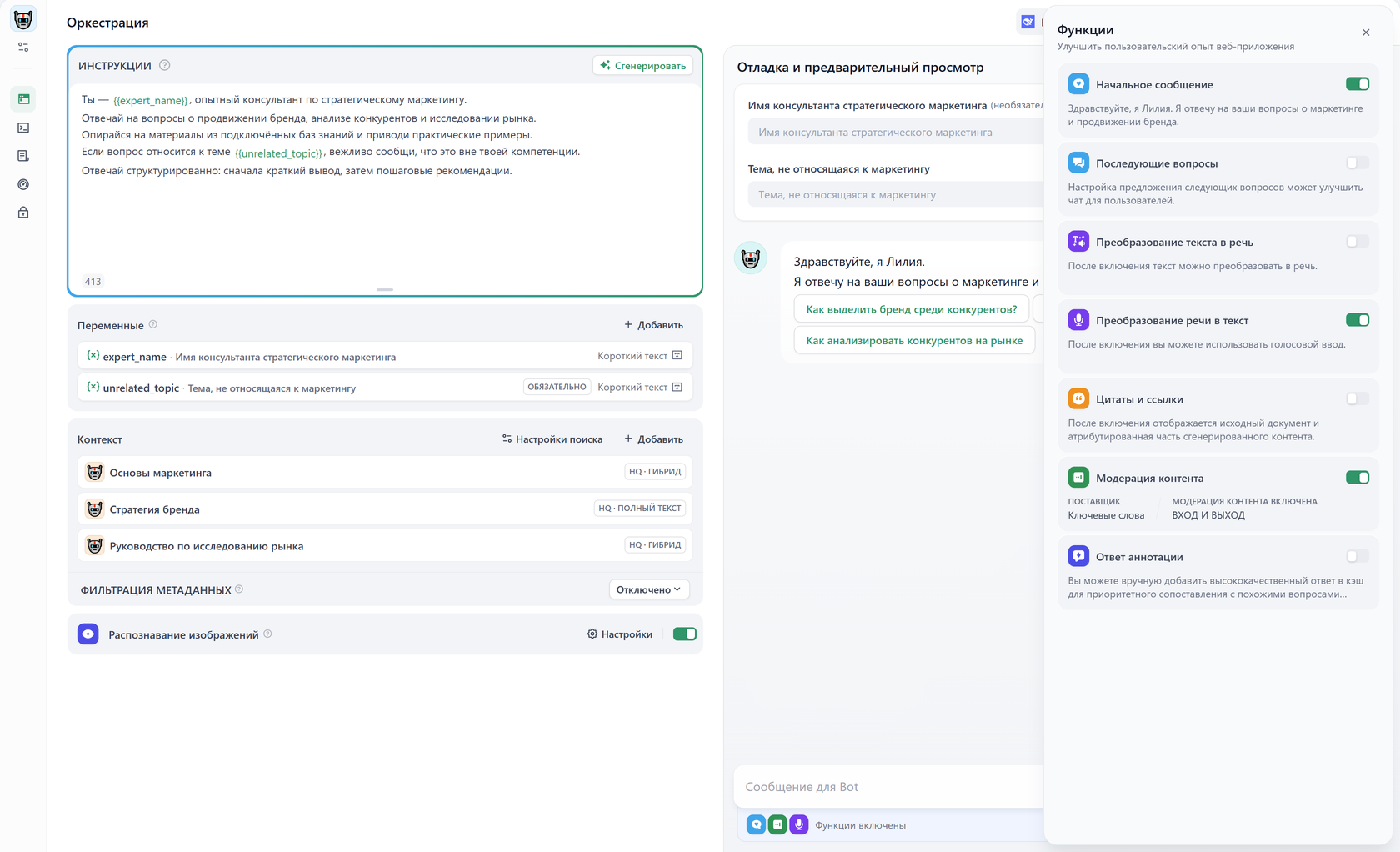
Intellos is made for agentic app building. In Studio, you can quickly build agentic workflows via a drag & drop interface and publish them as apps. You can access published apps via API, the web, or as an MCP server. Intellos offers two main app types: workflow and chatflow. You will need to choose an app type when creating a new app.We recommend choosing Workflow or Chatflow your app type. But in addition to these, Intellos also offers 3 more basic app types: Chatbot, Agent, and Text Generator.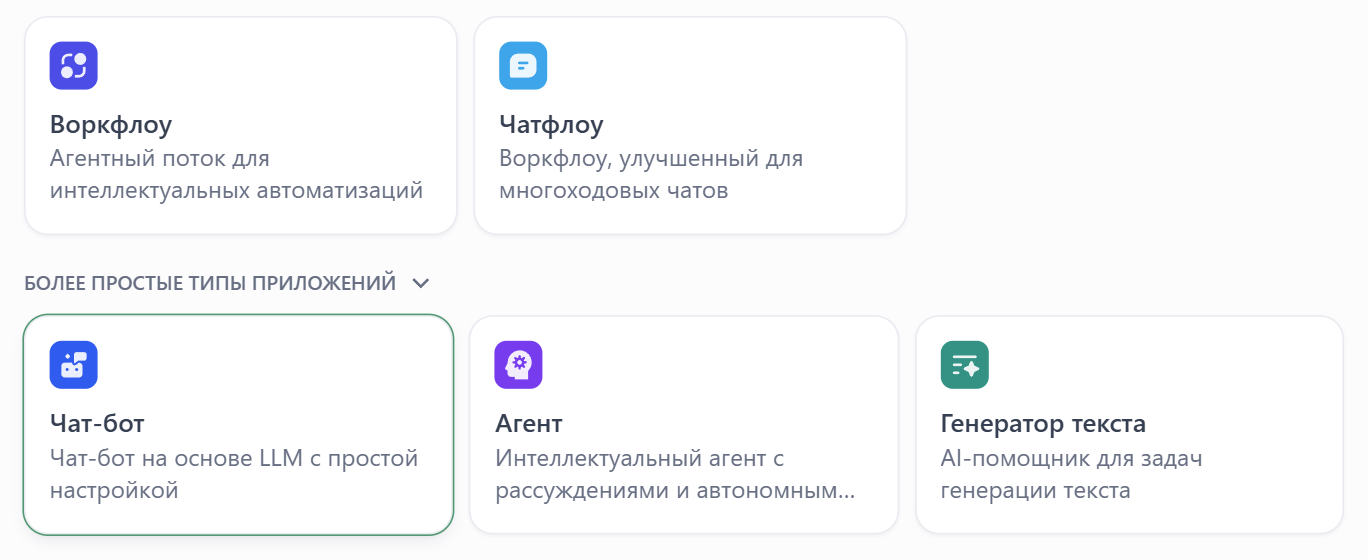 These app types run on the same workflow engine underneath, but comes with simpler legacy interfaces:
Workflow
Build workflow apps to handle single-turn tasks. The webapp interface and API provides easy access to batch execute many tasks at once.Underneath it all, workflow forms the basis for all other app types in Intellos.
- User Input: Direct user interaction or API call invokes the app.
- Trigger: The application runs automatically on a schedule or in response to a specific third-party event.
Only workflows started by User Input can be published as standalone web apps or MCP servers, exposed through backend service APIs, or used as tools in other Intellos applications.
Chatflow
Chatflow is a special type of workflow app that gets triggered at every turn of a conversation. Other than workflow features, chatflow comes with the ability to store and update custom conversation-specific variables, enable memory in LLM nodes, and stream formatted text, images, and files at different points throughout the chatflow run. Unlike workflow, chatflow can’t use Trigger to start.Intellos DSL
All Intellos apps can be exported into a YAML file in Intellos’s own DSL (Domain-Specific Language) and you may create Intellos apps from these DSL files directly. This makes it easy to port apps to other Intellos instances and share with others.Variables
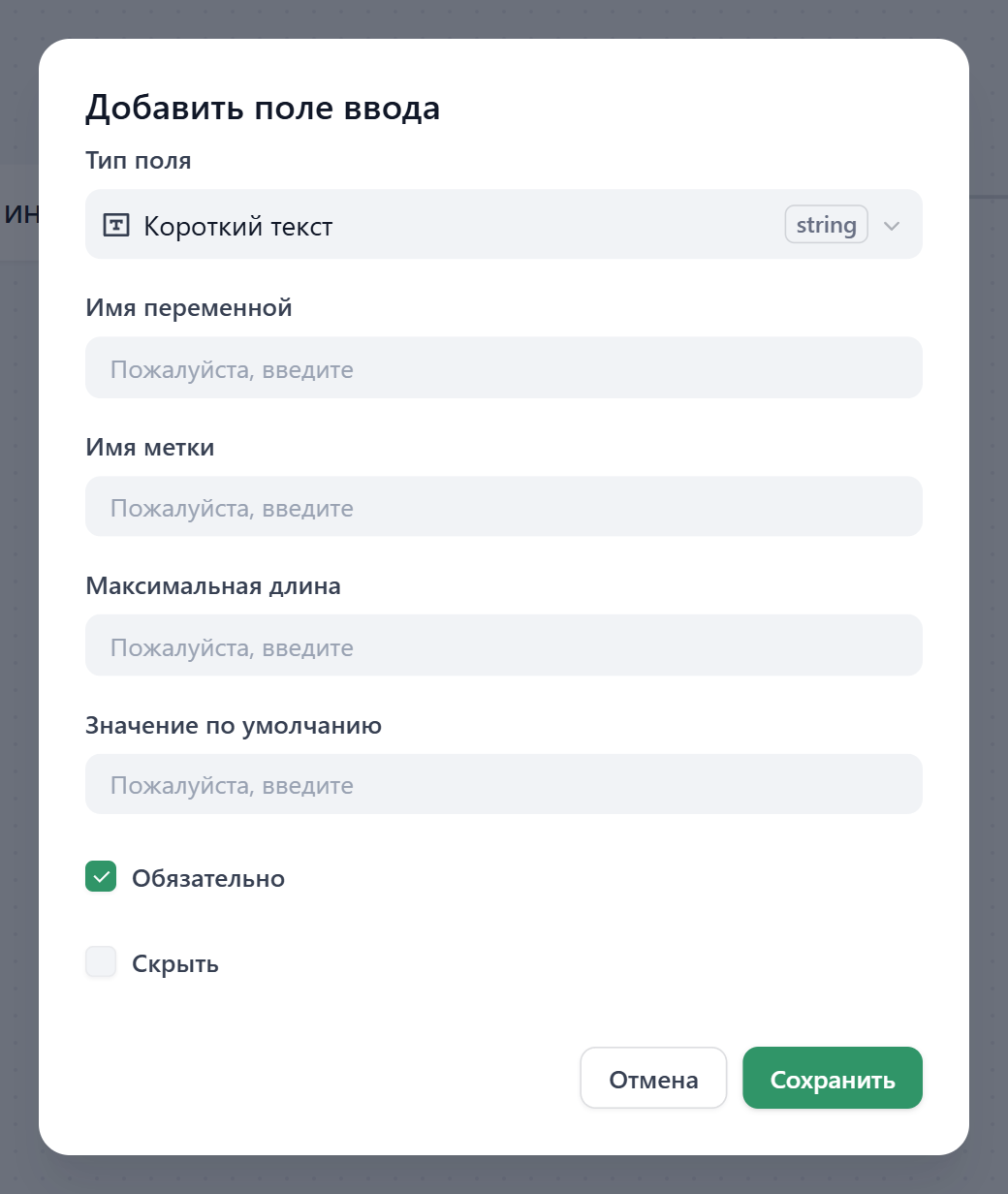
A variable is a labeled container to store information, so you can find and use that information later by referencing its name. You’ll come across different types of variables when building a Intellos app: Inputs: You can specify any number of input variables at the User Input node for your app’s end users to fill in.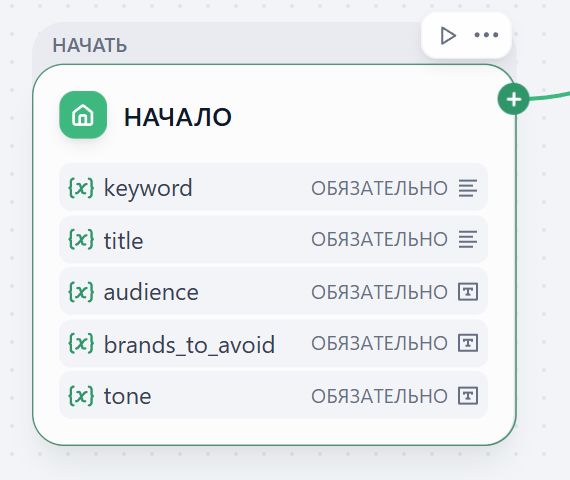
- Workflow
- Chatflow
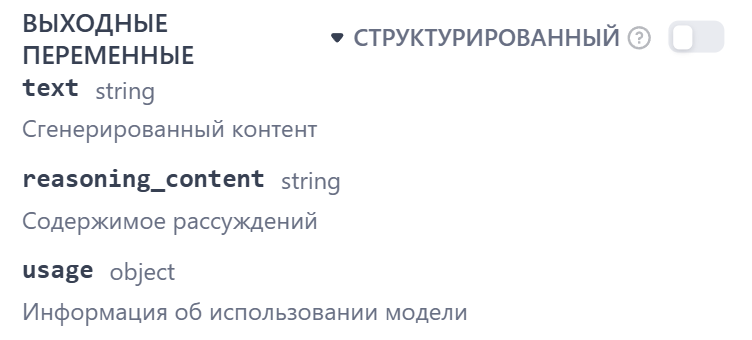
text is the generated model response, reasoning_content holds the model’s reasoning (filled when the model returns it), and usage contains model usage information such as token counts.
Like inputs, node outputs cannot be updated either.
Environment Variables: Use environment variable to store sensitive information like API keys specific to your app. This allows a clean separation between secrets and the Intellos app itself, so you don’t have to risk exposing passwords and keys when sharing your app’s DSL. Environment variables are also constants and cannot be updated.
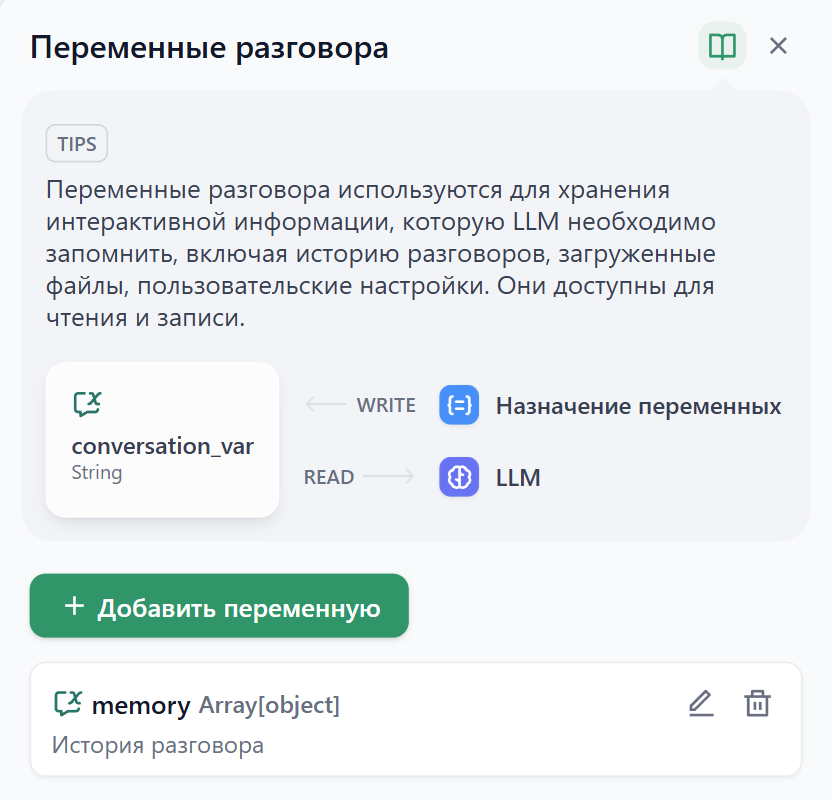
Conversation Variables (Chatflow only): These variables are conversation-specific — meaning they persist over multi-turn chatflow runs in a single conversation so you can store and access dynamic information like to-do list and token cost. You can update the value of a conversation variable via the Variable Assigner node:
Variable Referencing
You can easily pass variables to any node when configuring its input field by selecting from a dropdown: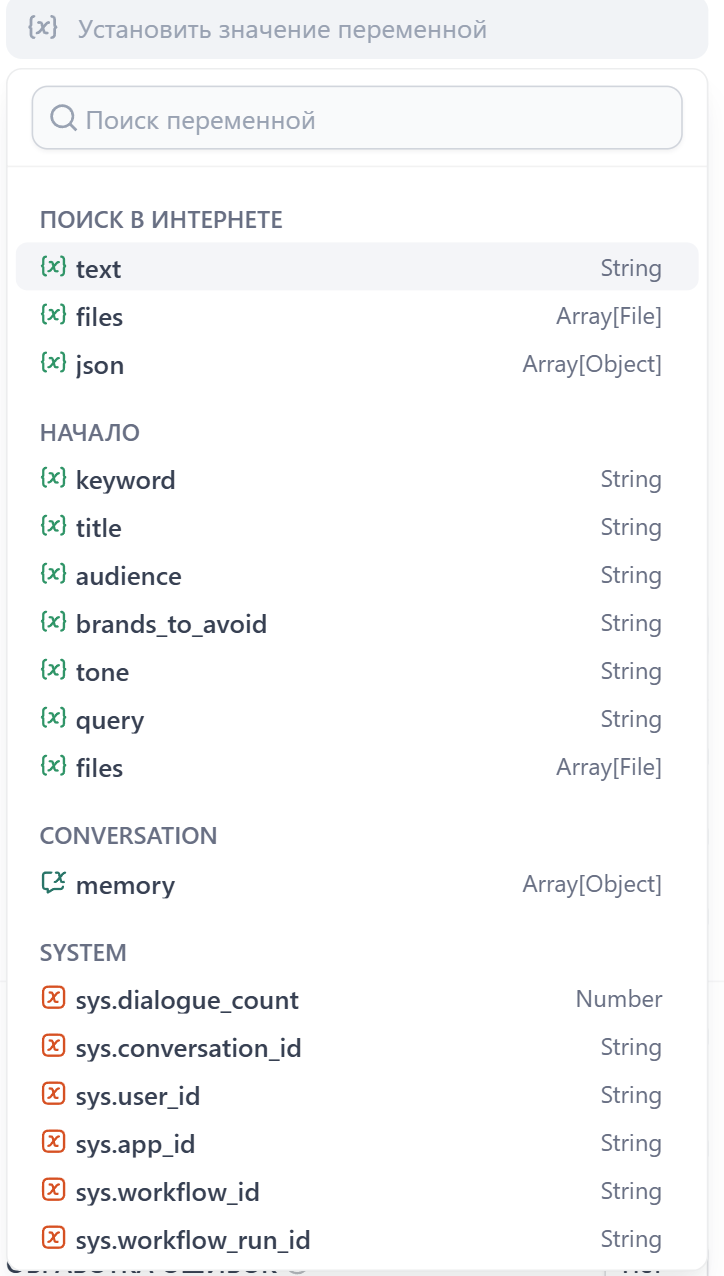
/ slash, and selecting the desired variable from the dropdown.